 DocDocDoc
Language: English
Use Google Docs with multiple pages side by side
Turn Google Docs into a side-by-side, multi-page writing workspace built for long-form editing, revision, and review.
01
Finally, a side-by-side layout!
With DocDocDoc, you can finally use your full screen and keep neighboring sections visible without endless scrolling. The editor is optimized for wide screens and long-form writing.
02
Your document stays on your computer
Your privacy comes first. DocDocDoc runs fully in your browser with no document-storage backend on our side. The document content stays between your browser and Google, and our server never sees, reads, stores, or rehosts the document itself.

03
Native automatic dark mode
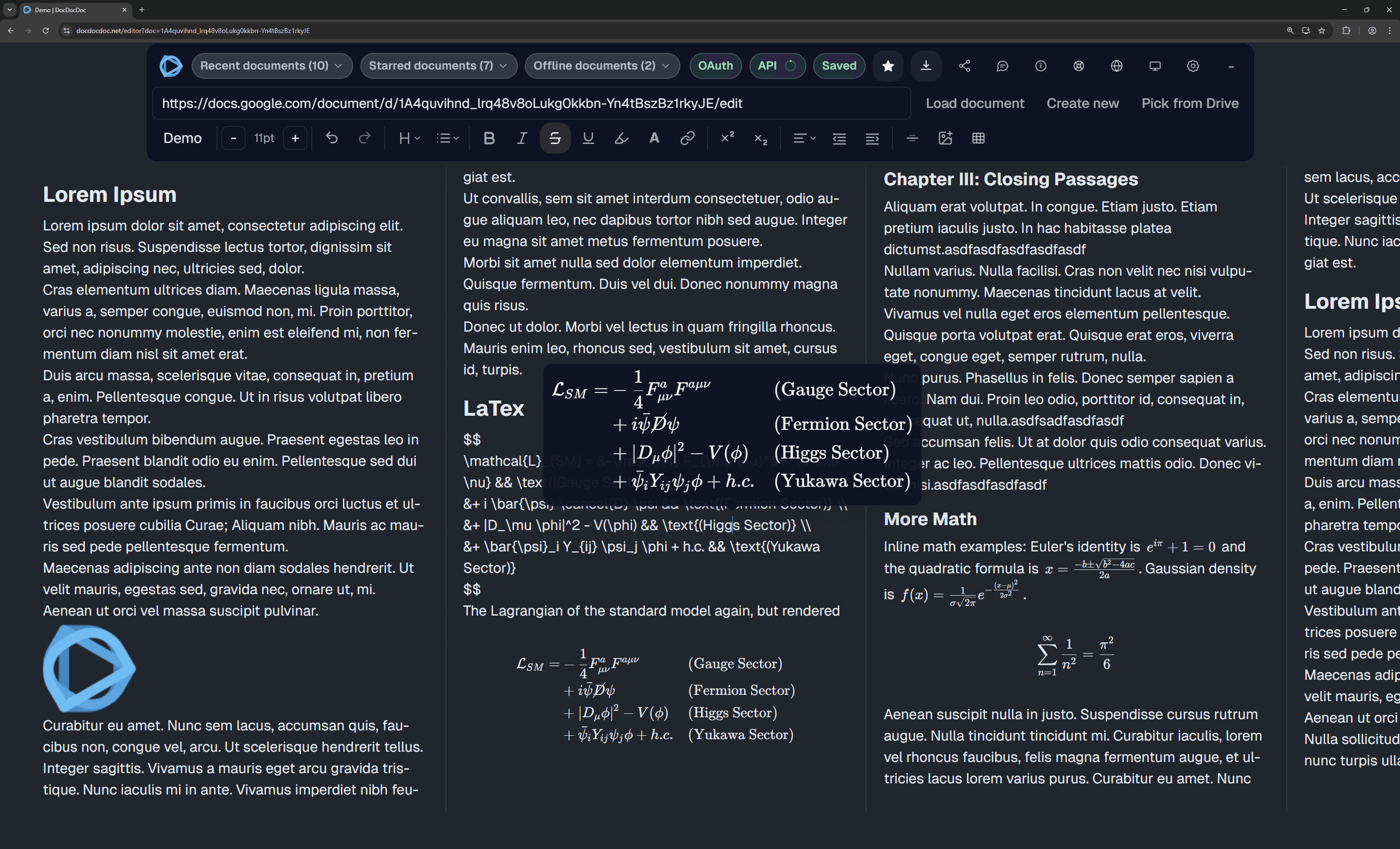
Say goodbye to blindingly bright pages during late-night writing and reviewing sessions. DocDocDoc respects your system theme out-of-the-box and automatically toggles a carefully crafted dark mode for both the interface and the document itself to minimize eye strain. Oh, and it's completely free.
04
Write math with LaTeX syntax
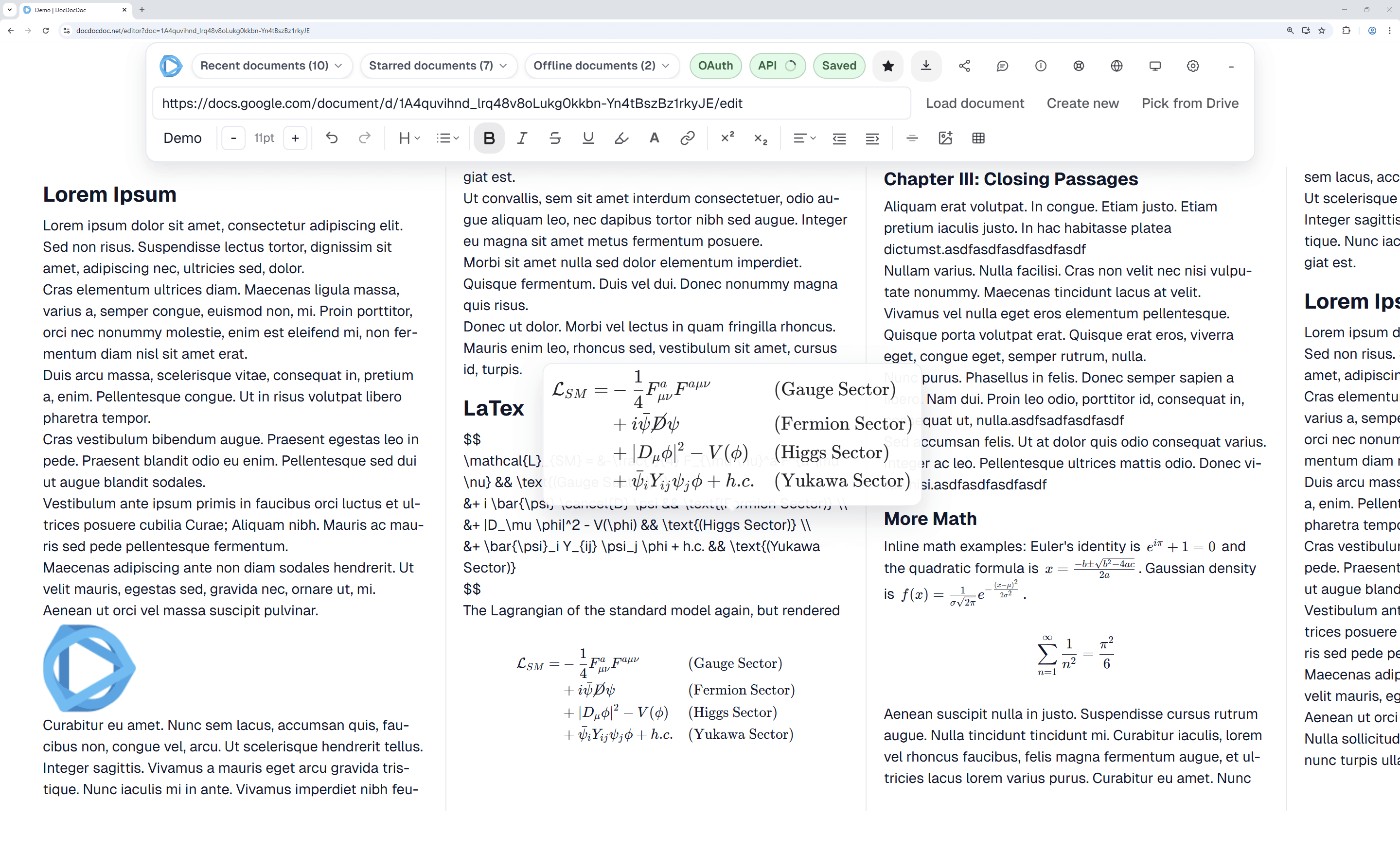
Seamlessly construct complex mathematical equations using standard LaTeX syntax. Use $...$ for inline equations and $$...$$ for display math blocks. Equations are synchronized as plain text back to your Google Doc, then rendered beautifully in DocDocDoc.
How it works
1
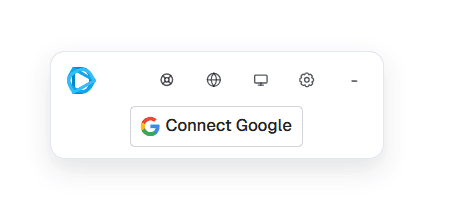
Connect Google OAuth
Sign into your Google account so DocDocDoc can display and sync your document through official Google APIs. We only request permission for specific files that you explicitly indicate. In step 3, you choose exactly which file(s) you want to allow for processing, and DocDocDoc cannot access any Google Docs files beyond those selected files.
2
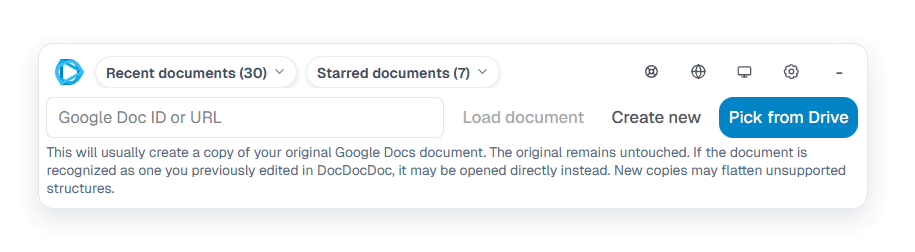
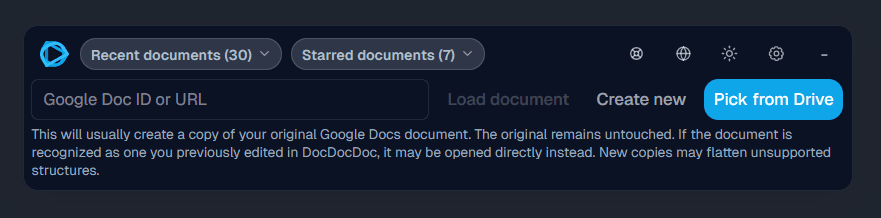
Load any Google Doc
Paste a Google Docs URL/document ID or pick a file through Google Picker, then open it in the side-by-side editor. No extra sharing setup is required when you already have access in your Google account.
3
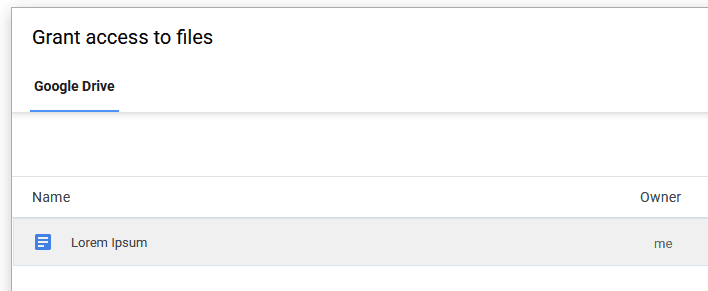
Select a document in the picker popup
In Google Picker, select the document you want to open. This grants DocDocDoc access only to this specific file. DocDocDoc cannot access or even see the other files listed in the popup, and the file always stays on your device.
4
Edit side by side
DocDocDoc always creates and edits a copy of your original document first, so the original stays untouched. In that copy, unsupported elements such as plots and footnotes that cannot yet be represented correctly are removed, while virtually all core writing, editing, and formatting features remain available. Google currently exposes the comments API only partially: existing comments can be read, but newly created comments in DocDocDoc are not shown in the Google Docs UI. Full inline and display-math LaTeX support is included, along with typewriter mode for focused drafting and revision.
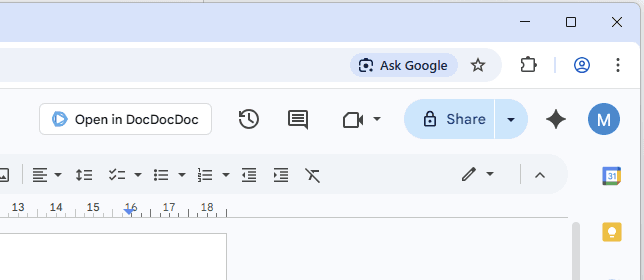
Open Google Docs in DocDocDoc with one click


Frequently Asked Questions
Does DocDocDoc replace Google Docs?
Not at all. DocDocDoc is an enhanced multi-page editor layer built directly on top of Google Docs. Every change you make is synchronized back to your original Google Doc.
Is my document data stored on your servers?
No. DocDocDoc is a fully client-side application. There is no backend server reading or writing your documents. The document exchange happens between your browser and Google, and our server does not inspect the document content.
Why does DocDocDoc request Google Drive permissions?
DocDocDoc currently requests exactly these scopes:
https://www.googleapis.com/auth/drive.fileUsed for per-file Drive access (safe-copy docs, image uploads, and Google Picker selection).
DocDocDoc uses per-file Drive access via drive.file instead of broad Drive read scopes.
Can I pick a Google Doc directly inside DocDocDoc?
Yes. You can paste a URL/document ID or open Google Picker directly from the editor. Picker access stays per-file with drive.file.
Can I open any Google Doc?
Yes, as long as the signed-in Google account has view or edit permission for that document. You can switch accounts if needed.
Who is this best for?
DocDocDoc is designed for writers, researchers, students, and editors working on long-form content. If you use a widescreen monitor, side-by-side pages can significantly improve your workflow.
Is DocDocDoc really free to use?
Yes. Because the core app runs in your browser and uses your direct connection to Google's API, operating costs remain low and the tool is free.
Is collaboration instant like in standard Google Docs?
DocDocDoc syncs edits with Google Docs every few seconds. Since it uses the Google Docs API (not Google's internal real-time collaboration engine), there can be a slight sync delay.
What are the current limitations?
DocDocDoc does not yet provide true real-time multi-user collaboration. Very large documents can also render more slowly, especially when they include many heavy objects.
Which features are supported, and what happens with unsupported ones?
DocDocDoc round-trips core editing features: paragraphs, rich text marks, links, alignment, indentation, lists, headings, highlight, superscript/subscript, inline images, tables, manual page breaks, and horizontal rules. If unsupported objects are detected, direct editing of the original Google Doc is blocked to prevent destructive overwrites.
Where can I get more information?
Visit the how to view Google Docs side by side and how to cleanly use LaTeX math in Google Docs.
If you want to compare all common workaround paths, also read the console hack breakdown, why two browser windows are limiting, why print preview is not enough, and what SplitView solves vs what it does not.
What is the browser extension for?
The extension adds a one-click handoff from Google Docs to DocDocDoc so you can open the current file without copying links. It is being rolled out by browser family.
Why does Google Picker show many files if access is per-file?
Picker is a Google-owned file chooser UI. It can list your files so you can pick one, but DocDocDoc only receives permission for the file you explicitly choose. Other listed files are not granted to DocDocDoc.
How does DocDocDoc compare with other writing tools?
Use the comparison articles below if you are deciding between DocDocDoc and Notion, Obsidian, or Scrivener for long-form Google Docs writing workflows.
Start with DocDocDoc vs Notion, DocDocDoc vs Obsidian, and DocDocDoc vs Scrivener. Each guide explains when the other tool is the right choice and where DocDocDoc is the better fit for Google Docs-native writing.
Edit Google Docs side by side now
Open the editor and load your document in seconds.
Open DocDocDoc Editor